
How Hempstead Small Businesses Can Help Customers Find Them
A practical guide for Hempstead business owners: keep listings accurate, earn trustworthy reviews and make essential details easy for nearby customers to find.

Hempstead small businesses can help nearby customers find them by keeping their name, address, phone number, hours and services accurate across online listings. Claim the business profiles customers use, add clear photos and respond to reviews professionally. A simple routine for checking details and updating changes builds trust with people searching near downtown Hempstead, the LIRR station or along Fulton Avenue.
Start with the facts a customer needs before visiting or calling: where the business is, when it is open, how to reach it and what it offers. Make those details consistent on the business website and public profiles, then check them whenever hours, services or contact information change.
Clear information is only the beginning. Useful photos, honest customer feedback and a website that answers common questions can help people decide whether your business suits their needs, while careful upkeep prevents outdated details from sending them elsewhere.
- Keep your business name, address, phone, hours and services accurate across profiles and your website.
- Claim relevant listings, use current photos and make contact details easy to reach on a phone.
- Invite honest reviews, respond professionally and use recurring feedback to improve customer information.
- Avoid duplicate or misleading profiles, and check public details whenever the business changes.
Why Accurate Business Information Matters
Make the First Search Useful
Accurate details help a nearby customer decide whether to call, visit or keep looking. Someone searching around downtown Hempstead may need to know whether a shop is open after work, while a customer near the LIRR station may be comparing businesses before heading out. A missing suite number or old closing time can make a reliable business seem uncertain.
Search results often display basic details before a customer reaches a website, so small errors can affect a decision quickly. Check that the business name, address, phone number and hours are readable and current wherever they appear. If the entrance is on a side street or inside a larger building, explain that clearly on the website.
Consistency also helps customers recognize that listings refer to the same business. Use the public-facing business name and the same local phone number across profiles, printed materials and the website. Avoid adding promotional wording to the name in one place if it does not appear elsewhere; differing versions can confuse people trying to verify the business.
Build Confidence Before a Visit
Customers use complete profiles as a quick way to judge whether a business is active and suitable for their needs. A working phone number, current hours and a concise description answer practical questions without requiring a call. For a service business, saying which jobs it handles can prevent mismatched inquiries and save time for both sides.
Photos can resolve questions that a written listing cannot, such as what the storefront looks like or where the entrance is. Choose recent, clear images that show the actual premises, products or services rather than generic pictures. Remove images that show a former layout or an offering the business no longer provides.
Trust grows when information matches the experience customers have in person. If a listing promises weekend hours, someone arriving on a weekend should find the business open; if appointments are required, state that plainly. Updating a profile when circumstances change is more helpful than leaving customers to discover the difference at the door.
- State whether walk-ins are welcome.
- Explain appointment or booking requirements.
- Use current photos of the premises and services.
Start With the Details Customers Need

Check Essential Contact Details
Begin with the information someone needs to reach or visit you: the business name, street address, local phone number, opening hours and website. Confirm spelling and formatting, including any unit or floor details that help customers find the right entrance. On a mobile phone, test that the number can be tapped to call and the address opens a map.
Hours deserve special attention because customers often check them just before setting out. Show regular hours clearly, then update temporary closures, holiday schedules or changes in service. If hours vary by appointment or by department, explain the distinction so a customer does not assume every service is available whenever the doors are open.
Write a short description that tells readers what the business does and whom it serves. A Hempstead repair shop might name the kinds of repairs it handles, while a local salon could clarify whether it takes walk-ins or appointments. Use ordinary language customers understand, and avoid claims that are difficult to verify or maintain.
- Verify the address and entrance details.
- Check phone and website links.
- Update regular and temporary hours.
- Describe services in plain language.
Keep Details Consistent Everywhere
Make one reliable record of the business’s approved name, address, phone number, hours and website, then use it when updating online profiles. This prevents small variations from accumulating as different staff members make edits. If the business relocates or changes its number, update the website and major listings rather than correcting only the first result you notice.
Consistency means the information is clearly recognizable, not that every platform must use identical formatting. One listing may abbreviate a street type while another spells it out, but the actual location and contact details should remain unambiguous. Keep the business name free of extra keywords or slogans that customers would not see on the storefront.
Check important profiles after a change and ask someone unfamiliar with the business to find its phone number, hours and entrance. Their attempt can reveal confusing directions, broken links or details buried on the page. Make a note of where profiles are managed so a future owner or staff member can repeat the check.
Ways to Keep Your Business Information Visible
Use Profiles and a Clear Website
Claim the major business profiles customers are likely to consult, and fill in the fields that help them act: category, hours, contact details, services and current photos. A profile is most useful when it leads to a website or a clear way to call. Review profile notifications and confirm that proposed public edits have not changed key facts.
Your website should reinforce the same information and make it easy to find on a phone. Put the address, hours and contact options where visitors can reach them without digging through several pages. A business owner comparing ways to improve online visibility can review Seo Services to understand the kinds of support an agency may offer.
Choose the profile and website updates that fit the way customers find you, rather than trying to maintain every possible platform. A retailer may benefit from showing current products and store hours, while a contractor may need service-area details and a simple inquiry form. Keep descriptions factual, and remove outdated pages or offers that could mislead a visitor.
- Claim and complete relevant profiles.
- Make contact details easy to reach on mobile.
- Match website information to public listings.
- Remove outdated services and offers.
| Option | Best for | Keep in mind |
|---|---|---|
| Business profiles | Hours, contact details and photos | Check for edits and updates |
| Business website | Services, directions and inquiries | Keep details consistent |
| Customer reviews | Feedback and public responses | Ask neutrally; reply respectfully |
Invite Honest Customer Feedback
Invite customers to leave an honest review after a genuine interaction, using a neutral request that does not pressure them to praise the business. A short reminder on a receipt or a follow-up message can make the option easy to find. Do not offer rewards in exchange for positive feedback, because that undermines trust and can violate platform rules.
Respond to reviews in a calm, useful tone, especially when a customer raises a specific concern. Acknowledge the issue without sharing private details, and offer an appropriate way to continue the conversation offline. For positive feedback, a brief thank-you is enough; repeated promotional replies can make the exchange feel less personal.
Treat recurring comments as operational information, not merely as a public score. If customers repeatedly struggle to find the entrance, improve directions and photos; if they ask about a service, clarify its availability in the profile. Never post a customer’s personal information in a reply, even when trying to explain what happened.
Do not create extra listings just to appear in more searches; duplicate profiles can split customer feedback and leave people unsure which information is current.
Common Listing Mistakes to Avoid

Avoid Duplicate or Misleading Entries
Do not create extra listings just to appear in more searches; duplicate profiles can split customer feedback and leave people unsure which information is current. If a profile already exists, check whether it can be claimed or corrected before making another. When a business has moved, update the existing record where possible and make the new location unmistakable.
Use categories and descriptions that match what the business actually provides. Choosing an unrelated category because it seems popular can attract the wrong inquiries and frustrate customers who expected a different service. Describe genuine services clearly, and avoid adding nearby town names or keywords to the business name unless they are part of its real public name.
A listing should reflect a real place and the way customers can access the business. Do not present a mailbox, temporary event site or unstaffed address as a storefront. If the business travels to customers, describe its service area accurately and follow the platform’s rules for businesses that do not receive visitors at a public address.
Catch Changes Before Customers Do
Treat changes to location, hours, phone number or services as a cue to review every public source customers might use. Update the website and business profiles promptly, then check that the changes display correctly. If a former number or address remains on an old page, correct or remove it so customers do not follow stale information.
Do not assume a listing stays accurate simply because nobody has reported a problem. Public profiles can receive suggested edits, and old details may remain in search results after a business changes its own website. Review the information periodically and whenever staff notice a customer has been sent to the wrong place or called an outdated number.
Keep a short record of where the business has profiles and who can access them. Store account recovery details securely, and make sure another trusted person knows how to manage essential updates if the usual contact is unavailable. A simple handoff prevents a closed account or staff departure from leaving public information unattended.
- Review profiles after any business change.
- Test links, calls and directions.
- Keep secure access and recovery information.
- Remove outdated pages where possible.
When Outside Help May Be Useful
Recognize the Workload
Consider outside help when keeping business information accurate is competing with serving customers or managing daily operations. A Hempstead shop may need to update its hours, respond to reviews and correct listings while also handling busy periods. If routine updates keep getting delayed, first identify which tasks are slipping and how often they need attention.
- Mistake: Hiring before identifying the problem; better approach: document the specific listing or page that needs attention.
- Mistake: Assuming every service package fits; better approach: request a proposal limited to your actual needs.
- Mistake: Handing over account access without a plan; better approach: agree on ownership, permissions and reporting first.
A provider can be useful when you have tried basic steps but cannot tell why nearby customers still encounter outdated details or confusing pages. Ask whether the problem is limited to a specific listing, or whether your website, profiles and other business references disagree. That distinction helps you choose a focused fix rather than paying for work you do not need.
Leicester Seo Services offers an example of how an agency describes support for a particular local market, which Hempstead owners can compare when assessing providers. The location differs, so use it to examine the services and process described, not as evidence of results for a Nassau County business. Your own needs, service area and budget should guide any decision.
- List the updates that keep getting missed.
- Check where customers see conflicting details.
- Decide which tasks your staff can maintain.
- Request help only for defined gaps.
Match Support to Needs
Choose help according to the task you cannot handle consistently, rather than buying a broad package by default. A business might need a one-time review of its online details, assistance with a website page, or continuing support for customer feedback. Write down the desired outcome before speaking with providers so you can compare proposals on the same basis.
Keep routine business facts under your control, including the official name, phone number, address and hours customers should use. A provider may help make updates, but you should know which accounts are being changed and how to regain access. This is especially important when staff responsibilities change or a business moves within Hempstead.
Ask for a clear division of responsibilities and a way to verify completed work. For example, agree that the provider will identify discrepancies while an owner approves changes to hours or service areas. If the proposal includes unfamiliar technical work, ask for a plain-language explanation of what customers will notice and how progress will be checked.
How to Assess a Marketing Provider

Check the Proposed Work
Ask each provider to describe the work in specific terms, including which business profiles, website pages or customer-facing details they will review. A useful proposal identifies the tasks, what you need to supply and how you will know the work is complete. Vague promises to improve visibility do not tell a Hempstead owner what will actually change.
Request a written scope before approving ongoing work, and check whether it explains fees, timing, account access and reporting. You should be able to see what is included, what would cost extra and who approves edits to business information. If a provider cannot explain its process in clear language, pause and get clarification before sharing credentials or committing.
Look for examples that resemble your business needs, but do not treat another company’s results as a guarantee. A small service business and a storefront near Hempstead’s commercial areas may need different pages, customer information and update routines. Ask how the provider would adapt its approach to your real location, customers and services rather than applying a generic template.
- Request a written list of deliverables.
- Confirm who approves factual changes.
- Ask how progress will be reported.
- Clarify account ownership and access.
Look for Clear Communication
A dependable provider should be willing to explain recommendations without pressuring you to buy services you do not understand. Ask what it would change first and why that change matters to a nearby customer trying to call, visit or confirm your hours. Straight answers make it easier to judge whether the proposed work fits the problem.
Check that you retain ownership of your website, profiles and business data, with access for the people who need to manage them. Agree how approvals work before any changes are made, particularly for business names, addresses, service areas and operating hours. This prevents an outside contractor from becoming the only person able to correct a basic customer detail.
Set a regular review point and decide what evidence will be useful, such as a list of completed updates or examples of corrected information. Avoid judging a provider only by broad claims about rankings, since search results can vary by query and location. Clear records of work help you assess whether the arrangement is practical and worth continuing.
Keep Your Information Consistent Across Locations
Separate Each Real Location
Give each staffed business location its own accurate details when customers can visit or contact it separately. Keep its name, address, phone number and hours tied to that actual place, rather than using one location’s information for every branch. This helps nearby customers distinguish the Hempstead location from another site and reduces the chance of a wasted trip.
- Confirm the change with the location manager.
- Update the location’s main website page.
- Correct the matching business profiles.
- Review the displayed details from a customer’s perspective.
Local Seo Services can offer an overview of keeping location details consistent across profiles and pages for businesses with more than one staffed location. Use that kind of guidance to check whether each branch has its own correct information, not to create pages for places where the business has no staffed presence. Accurate distinctions matter more than appearing to serve every nearby area.
Maintain a simple record for each location, noting who verifies its details and where updates must be made. When a branch changes hours or contact information, check its website page and relevant business profiles rather than assuming one edit updates everything. A shared record can also help staff answer customers consistently by phone and in person.
- Record the official details for each staffed site.
- Assign an owner to verify each location.
- Update profiles and pages after a change.
- Check that customers can tell branches apart.
Coordinate Changes Carefully
Treat a move, phone change or altered schedule as a coordinated update, not an isolated edit. Make a list of the places where customers may find the old information, then check each one after making the change. This approach is useful when a business serves Hempstead customers from more than one site or has staff managing separate profiles.
Use a consistent naming format for branches while keeping each real location identifiable. Do not add extra location words or service claims to a business name unless they are genuinely part of its name. Clear, natural descriptions help customers recognize the business and avoid confusion when they compare nearby options.
When different employees handle different locations, give them a shared process for submitting changes and confirming completion. A manager can approve factual details, while the staff member responsible for a profile makes the update and reports back. This modest handoff reduces conflicting edits and makes it easier to spot an outdated phone number or schedule.
Simple Habits for Staying Up to Date
Build a Regular Review
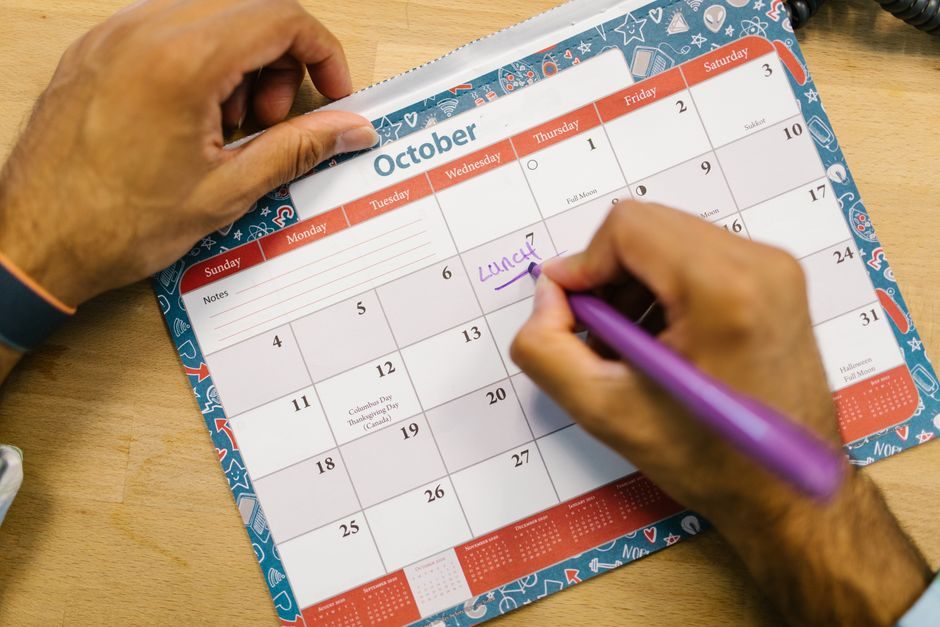
Choose a recurring time to review the information customers rely on, and keep the task short enough that it will actually happen. Check the business name, contact details, hours, services and any directions or access notes that affect a visit. A regular routine is more reliable than waiting for a customer to report an error.
- Keep one trusted record of your business details.
- Review customer-facing information routinely and after changes.
- Assign responsibility so corrections do not get missed.
Review your information after a meaningful change, even if your next scheduled check is still weeks away. Examples include a new phone number, seasonal hours, a service no longer offered or a change in how customers enter the premises. Confirm the update wherever customers might encounter the old version, including the website and business profiles.
Ask a staff member who speaks with customers to flag repeated questions about hours, location or services. Those questions can reveal gaps in the information you publish, even when the details are technically accurate. If customers keep calling to confirm whether you are open, make the schedule easier to find and verify that it is current.
- Set a recurring calendar reminder.
- Review core details after each business change.
- Invite staff to report repeated customer questions.
- Confirm updates appear where customers look.
Make Updates Easy to Own
Keep a secure record of which staff members can edit each business account and website page. Give access only to people who need it, and remove or change permissions when responsibilities shift. This makes ordinary updates easier to manage without leaving important customer information dependent on a former employee or outside contractor.
Write down the steps for common changes, such as adjusting hours or correcting a phone number. Include who approves the change, where it must be entered and who checks that it appears correctly afterward. A short procedure helps another employee take over when the usual person is away, without guessing which version of the information is authoritative.
Keep copies of approved business details in a place the responsible staff can reach, but avoid spreading outdated copies across informal documents. Mark the current version clearly and replace it when information changes. When a customer points out a discrepancy, record where it appeared and confirm that the correction has reached the source customers are using.
Frequently asked questions
Which business details should customers be able to find quickly?Make the business name, phone number, location, current hours and services easy to locate. If customers need to know whether they can walk in, make an appointment or use a particular entrance, explain that clearly too. Prioritize details that help someone decide whether to contact or visit you, then check that the same facts appear consistently on your website and business profiles.
How can I tell whether a listing is out of date?Search for your business as a customer might and compare the information shown in different places. Check the displayed phone number, address, hours and service details against the version your business has approved. Ask staff whether customers have reported trouble finding or contacting you. If you spot a discrepancy, correct the source and then revisit the other places where the outdated detail appears.
Should a small business respond to every customer review?Aim to respond consistently and professionally, especially when a review raises a clear question or describes a service issue. Thank customers for useful feedback, avoid sharing personal or confidential details, and take complicated complaints offline through an appropriate contact channel. A thoughtful response can clarify information for future readers, but never offer incentives or pressure customers to change an honest review.
What should I do when business hours change temporarily?Update the places customers are most likely to check, including your business website and relevant profiles, and state when the temporary schedule applies. If the change affects a planned visit or appointment, communicate it through the channels customers already use with you. After normal hours resume, remove temporary notices and check that the regular schedule is displayed accurately.
Make Accurate Details a Routine
Nearby customers need reliable facts before they call, compare options or make the trip to a Hempstead business. Keep one trusted record of your name, location, contact details, hours and services, then check that your website and business profiles match it. If updating those details becomes difficult, identify the specific gap and assess outside help against a clear written scope.
Choose one practical next step: review your most important customer-facing information today and correct the first discrepancy you find. Assign someone to verify the update and check that it appears where customers are likely to see it. A steady, manageable routine makes your business easier to find and gives local customers clearer information when they are deciding where to go.
Add Hempstead News as a preferred source on Google


